
Your workstation setup matters more than you think. Poor practices when using display screen equipment (DSE) can directly impact your physical health, visual comfort, and overall wellbeing. Whether you’re working in social care or using a computer for long hours at home, this course is designed to help you use DSE safely and confidently while supporting the people around you.
If you’re in the health and social care sector, you likely spend time using computers, laptops, or other screens to complete your work. You may also help create safe environments for your team or those whom you support. This free display screen equipment online training offers practical advice that’s tailored to your needs, focusing on how to protect yourself and others from the risks associated with prolonged screen use.
From workstation adjustments to understanding legal requirements for employers and employees in England, this free display equipment course equips you with skills and knowledge to promote better health practices. You’ll gain insights that not only improve your daily work but also support the people you care for.
Why Take This eLearning Course?
Display screen equipment is a part of most workplaces today—including health and social care settings. While essential for many tasks, using computers or screens without proper practices can lead to physical discomfort, visual problems, and even stress-related fatigue. This course helps you address these issues head-on.
Why it’s right for you:
- Reduce physical risk: Many people experience back pain, eye strain, and poor posture from improperly adjusted workstations. This training will show you how to set up your workstation correctly to prevent discomfort and long-lasting harm.
- Support a healthier work environment: Whether you’re caring for people using services or supporting your team, creating safe environments is critical. You’ll learn practical ways to protect yourself and others from physical and mental strain caused by DSE misuse.
- Understand your legal responsibilities: If you work in England, this course introduces you to the Health and Safety (Display Screen Equipment) Regulations 1992. You’ll learn what employers and employees must do to stay compliant.
- Learn on the go: As this course is entirely online, it’s flexible to your schedule. You can fit it around your day instead of having to pause your work commitments.
Taking care of your physical health and wellbeing—and that of others—starts with awareness. This course gives you the tools to identify and reduce risks linked to portable and fixed screen equipment today.
Learning Outcomes
This DSE training gives you practical, easy-to-understand knowledge that directly applies to your role in social care. By the end of the course, you’ll:
- Understand the Health and Safety (Display Screen Equipment) Regulations 1992 in England and what these mean for employers and employees.
- Learn the common risks of working with DSE, including musculoskeletal disorders, visual fatigue, and stress.
- Set up your workstation correctly using ergonomic principles so you can protect your posture and improve comfort.
- Recognise visual problems linked to DSE use, such as glare, eye strain, and headaches—and learn how to prevent them.
- Identify risks associated with portable equipment, like laptops, and strategies to minimise them.
- Understand how extended screen use or lack of movement contributes to fatigue, and use breaks to reduce strain.
- Adjust your workspace for factors like lighting, noise, and temperature to create a safe and productive environment.
- Complete risk assessments for DSE and learn practical measures to lower hazards for yourself and your colleagues.
With straightforward guidance and hands-on activities, the course ensures you finish with actionable steps to protect your health and wellbeing—while providing better support to people who use services.
Display Screen Equipment Awareness Course Outline
Module 1: Understanding the DSE Regulations
Learners will define the Health and Safety (Display Screen Equipment) Regulations 1992 (as amended) and who they apply to. The module explains why the regulations exist, what counts as display screen equipment, and the employer duties to assess workstations, control risks, provide training and eye tests, and plan regular breaks. It also clarifies the responsibilities of employees in using guidance, setting up correctly, taking breaks, and reporting problems.
Module 2: DSE Risks and Safe Workstation Setup
This module outlines key risks linked to DSE use, including musculoskeletal disorders, visual fatigue, repetitive strain, stress and tiredness. Learners will practise setting up a workstation correctly, covering chair, screen, keyboard, mouse, desk space and lighting. The module reinforces why good posture matters and how simple adjustments and frequent micro-breaks reduce strain.
Module 3: Eye Health and Screen Comfort
Learners will identify common visual problems arising from prolonged screen work and poor setup. The module shows how to reduce glare through screen positioning, lighting control and display settings, and introduces everyday habits to prevent eye strain and headaches, including the 20-20-20 rule, regular breaks, blinking and timely eye tests.
Module 4: Sitting, Standing and Taking Breaks
This module explains the health impacts of prolonged sitting and prolonged standing, including circulation, joint and back issues. Learners will plan realistic break routines, alternate postures, incorporate movement, and use available equipment to stay comfortable and productive throughout the day.
Module 5: Portable Devices and Mobile Working
Learners will explore health hazards specific to laptops, tablets and smartphones, especially when used for long periods without ergonomic support. The module provides practical strategies such as docking to external screens and input devices, optimising lighting, scheduling frequent movement, and following simple posture prompts during mobile work.
Module 6: Ergonomics and Practical Adjustments
This module walks through assessing and adjusting workstation layouts end-to-end: desk size and organisation, monitor distance and height, chair adjustments, input device placement and legroom. Learners will apply ergonomic principles and select accessories such as footrests, monitor risers, ergonomic keyboards and mice, task lighting and anti-glare aids. Guidance is included for both office and home setups.
Module 7: DSE Risk Assessment
Learners will define what a DSE risk assessment is and why it is required. The module covers recognising typical hazards, selecting proportionate control measures, and recording outcomes. Practical checklists help learners identify issues and agree targeted improvements, training or equipment changes.
Module 8: Preventing MSDs and Visual Fatigue
This module consolidates prevention strategies for musculoskeletal problems and eye strain. Learners will practise adjusting posture, varying tasks, planning movement breaks, improving viewing distance and angles, managing light and contrast, and adopting daily habits that protect comfort and concentration.
Module 9: Managing the Work Environment
Learners will examine how lighting, noise and temperature affect safe DSE use and performance. The module provides practical ways to reduce glare, dampen noise and maintain comfortable temperatures, alongside hydration and layout tips that minimise physical and mental strain.
Module 10: Posture Fundamentals and Furniture Setup
This module details the principles of good posture and how to implement them with chair, desk and equipment adjustments. Learners will apply a clear sequence for seat height, back support, arm position, screen level and reach zones, and use simple routines to avoid static postures.
Module 11: Information, Training and Reporting
Learners will understand the importance of providing clear health and safety information on DSE and ensuring users know how to apply it. The module explains local reporting routes for discomfort, equipment faults or setup issues, and how to use a DSE checklist to trigger timely adjustments and follow-up.
Target Audience
This training is perfect for:
- Health and Social Care professionals who spend extended periods working on computers or supporting people who use services in environments involving DSE.
- Supervisors or team leaders tasked with setting up safe workspaces for themselves and their teams.
- Care workers who want to learn how screen use impacts physical health, visual wellbeing, and mental comfort for both themselves and the people they support.
- Anyone in health or social care who wants to stay compliant with legal regulations around DSE in England.
Whether you’re an experienced professional or just new to social care, this course gives you practical advice to improve both your own and others’ safety in work environments.
FAQ
How long does the course take?
You’ll need about 1 to 2 hours to complete the training. It’s flexible, so you can work at your own pace.
Do I need prior knowledge of DSE or health and safety regulations?
Not at all. This course explains everything in clear, simple steps, starting with the basics.
Is this course based on UK regulations?
Yes. The content specifically focuses on DSE guidelines and legislation for England, ensuring it applies directly to your workplace needs.
Will I get a certificate upon completion?
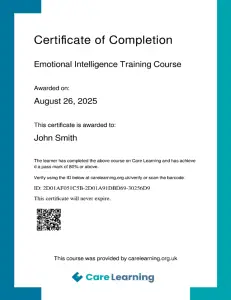
Absolutely. Everyone who finishes the course gets a downloadable certificate to show they’ve completed the training.
Can I apply what I learn straight away?
Definitely. You’ll gain practical skills that you can use immediately to improve your workstation setup, assess risks, and support safe practices for yourself and others.
Ready to make screen use safer for you and the people you support? Join the Free Display Screen Equipment (DSE) Training Course Online today and learn everything you need to prevent risks, protect health, and feel more comfortable in your role.
You must log in and have started this course to submit a review.