
Bespoke online training: make 400+ courses your own
Customise any of our 400+ online courses, whatever your service, without rebuilding a single lesson. Add your organisation’s policies, contacts and local procedures, so your team sees them in the lesson exactly when they need them. The original course, progress and certificates stay as they are.
400+ Courses ready to personalise
Your content Shown inside the lesson
Any team Or your whole organisation
Reviewed Before anyone sees it
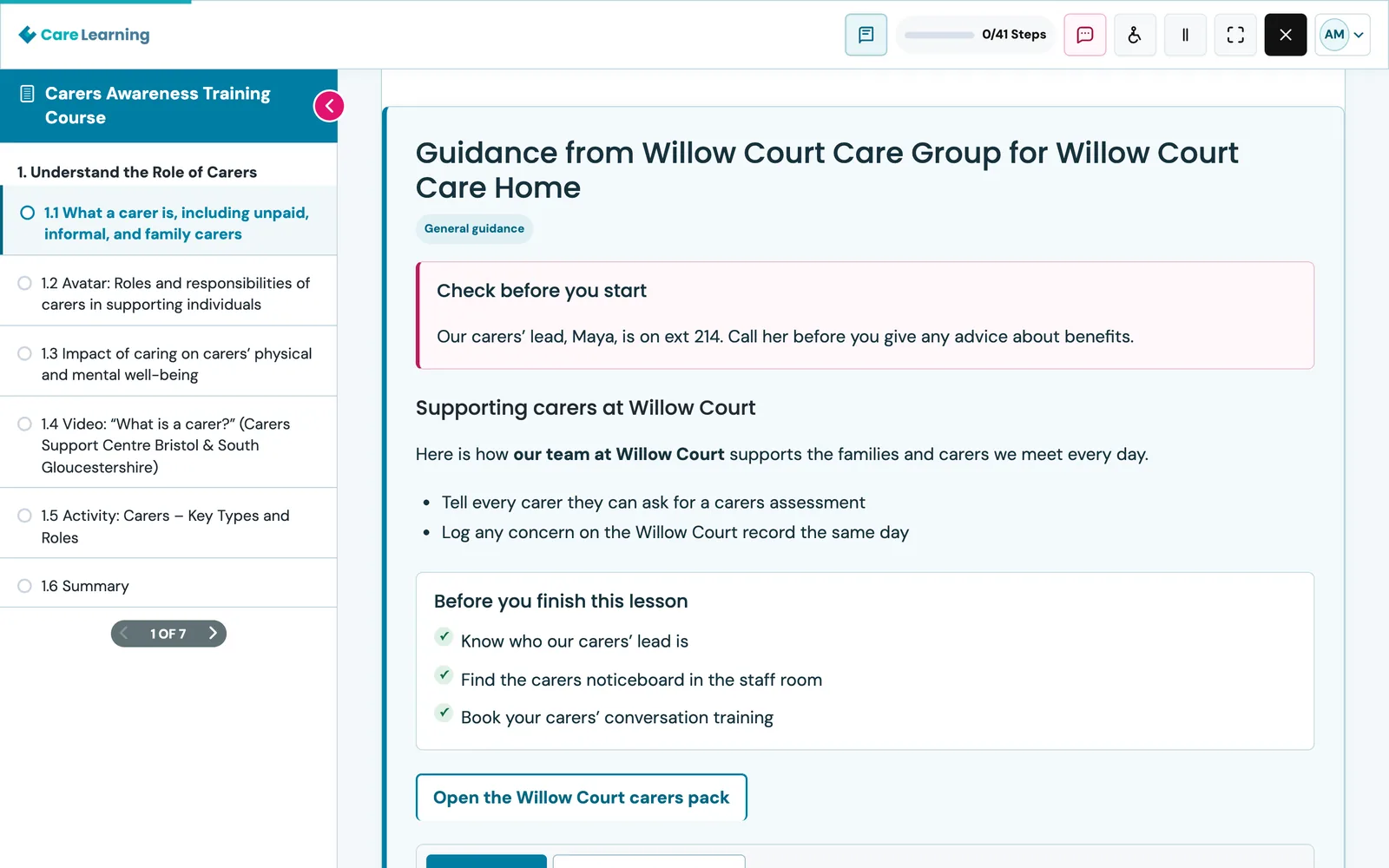
Your policies, contacts and local routines, right where your team learns.
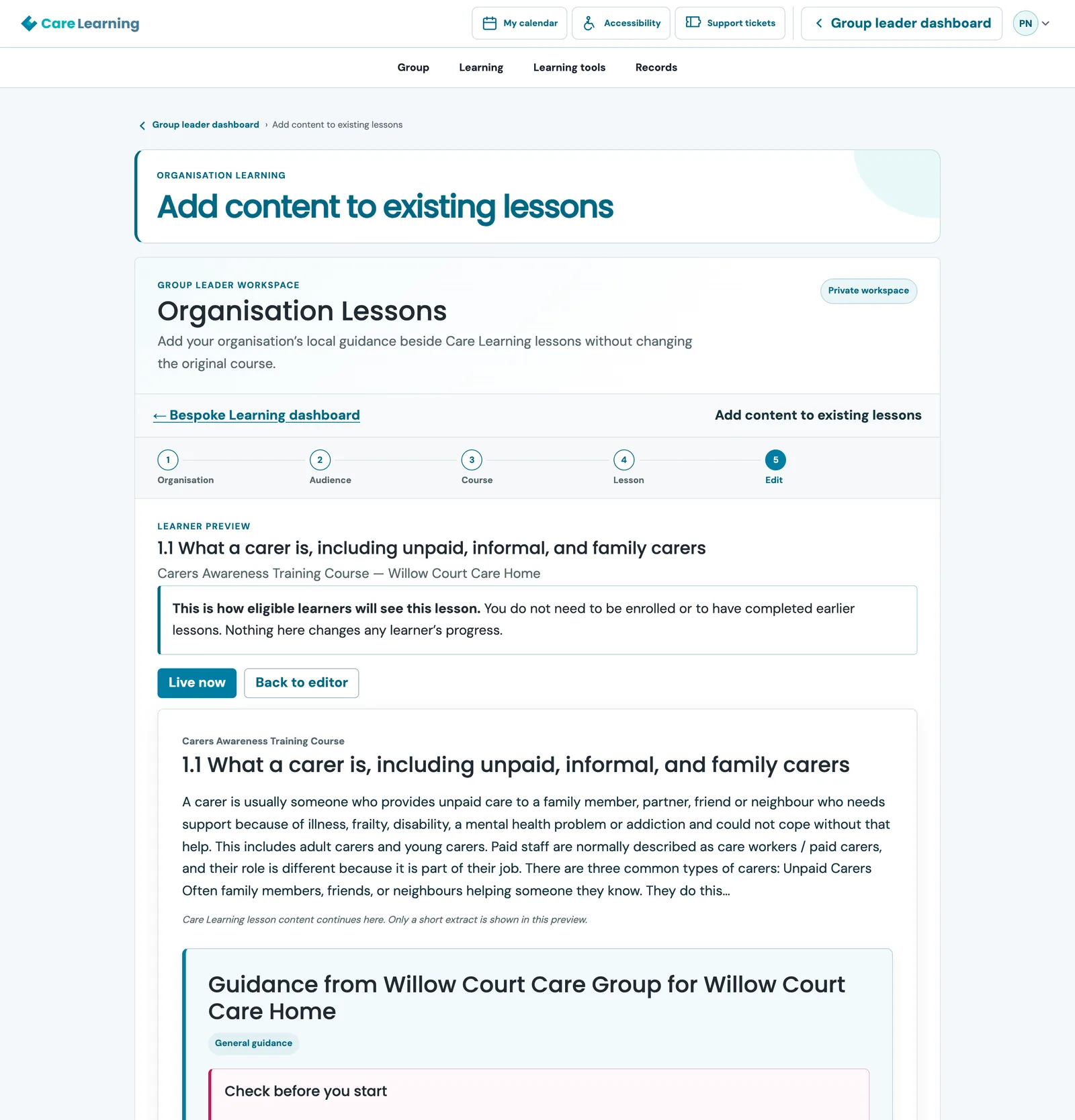
Organisation guidance, shown inside the lesson. Example uses a fictional care home.
See bespoke learning in action
A 100 second tour: how a group leader adds guidance to a lesson, and what your learners see.
Read the transcript
Care Learning has over four hundred courses. But every care service does things its own way.
Your safeguarding contacts, your policies, your local routines. They are rarely in a general course, so they end up in emails and shared drives nobody opens.
With bespoke learning, you add them straight into the lesson. Your team sees them at the moment they are learning, clearly labelled as coming from your organisation.
From your group leader dashboard, open Customise. Pick a course and a lesson, choose one team or your whole organisation, and write your guidance. Add a callout for what must not be missed, a checklist, tabs, or a question and answer.
Preview it exactly as your learners will see it, without enrolling on the course. When you are happy, submit it. We review it before it goes live.
You can even add your own sections and lessons. And the original course, learner progress and certificates are never changed.
Apply to become a group leader, or talk to us about bespoke learning for your organisation. Care Learning.
Training that sounds like your service
Our courses are written for the whole care sector. Bespoke learning lets you add the local detail that makes them yours: who to call, which policy applies and how your service does things.
Make general training specific
Add your policies, procedures and local contacts beside any lesson, so your team sees exactly what applies in your service.
Reach everyone at the right moment
Your guidance sits inside the lesson, where your team is already learning, instead of in an email or a shared drive nobody opens.
Different teams, different guidance
Give a care home, a supported living service and a domiciliary team their own guidance for the same lesson, or one message for everyone.
Your original courses stay intact
Your additions are shown alongside the course. The lesson itself, learner progress and certificates are not changed.
You stay in control
Choose who sees what, preview it before you submit, and record an owner and review date for every item.
Reviewed before it goes live
Nothing reaches your learners until it has been reviewed and published by the Care Learning team.
Built for employers who train care teams
Whether you run a care home, a domiciliary care service, supported living or an early years setting, you can customise the same course library for each service and team. Browse the free course library or see what group leaders get.
Care homes
Add your fire evacuation points, safeguarding leads and house routines to the courses your staff already complete.
Domiciliary care
Give lone workers the local contacts and out-of-hours numbers they need, inside the lesson they are learning.
Supported living
Tailor guidance for each house or team, so everyone sees the right procedure for the people they support.
Early years settings
Show your own policies and key people alongside safeguarding and childcare courses.
What your learners see
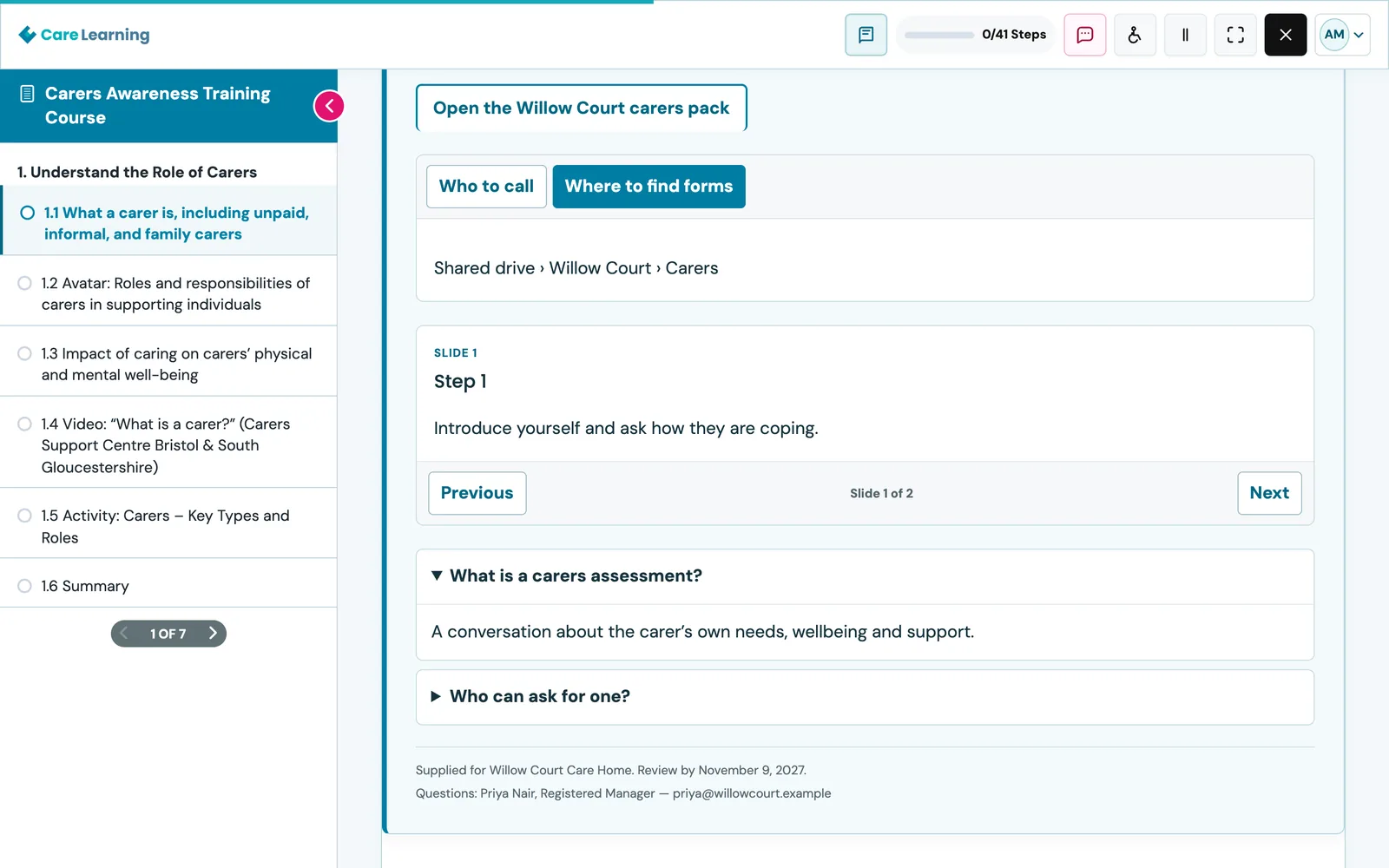
Your guidance appears inside the lesson, clearly labelled as coming from your organisation, with the name of the person to ask underneath.
- Callouts for the things nobody should miss
- Checklists, tabs and slides that are easy to scan
- Expandable questions for the detail
- Links to your own documents, and a named owner
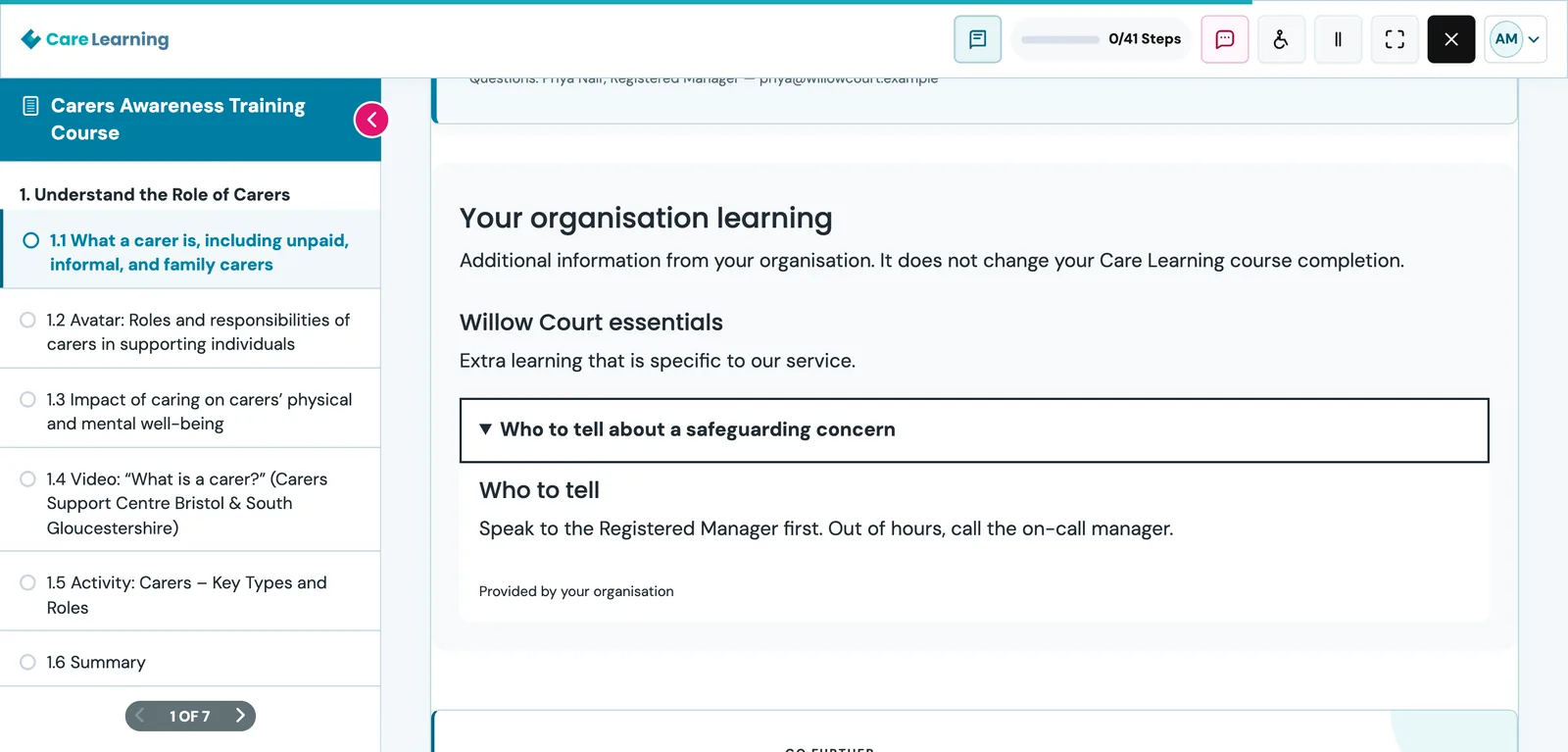
Add your own sections and lessons
Need more than a note? Create optional organisation sections and lessons for a course. They appear beneath the lesson, clearly marked as your organisation’s learning, and never change course completion.
- Induction notes, local safeguarding contacts, house rules
- Kept separate from the original course
- Shown only to learners in your organisation
Simple for training managers
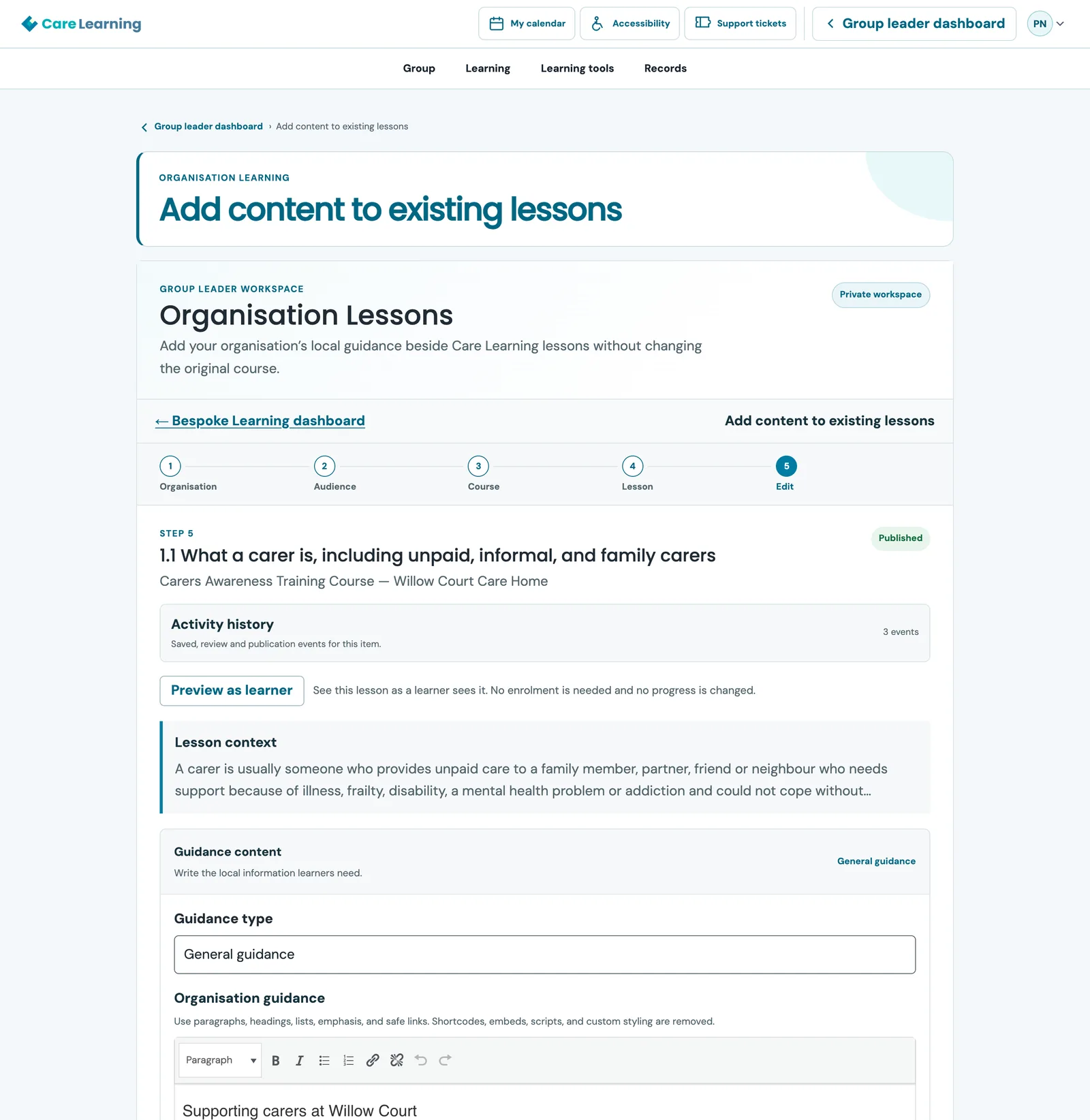
Choose the course and lesson, pick your team or the whole organisation, write your guidance and add the extras you want. A five-step guide keeps you on track, and there is nothing technical to learn.
- Choose one team, or your whole organisation
- Save a draft and come back to it
- Track what is draft, in review and live
Preview it as your learners will see it
Check the finished lesson before it goes anywhere. Preview as learner shows your live version or your latest draft inside a lesson, even if you have not enrolled on the course.
- No enrolment needed and no progress changed
- Switch between what is live now and your latest draft
- Submit when you are happy; we review it before it goes live
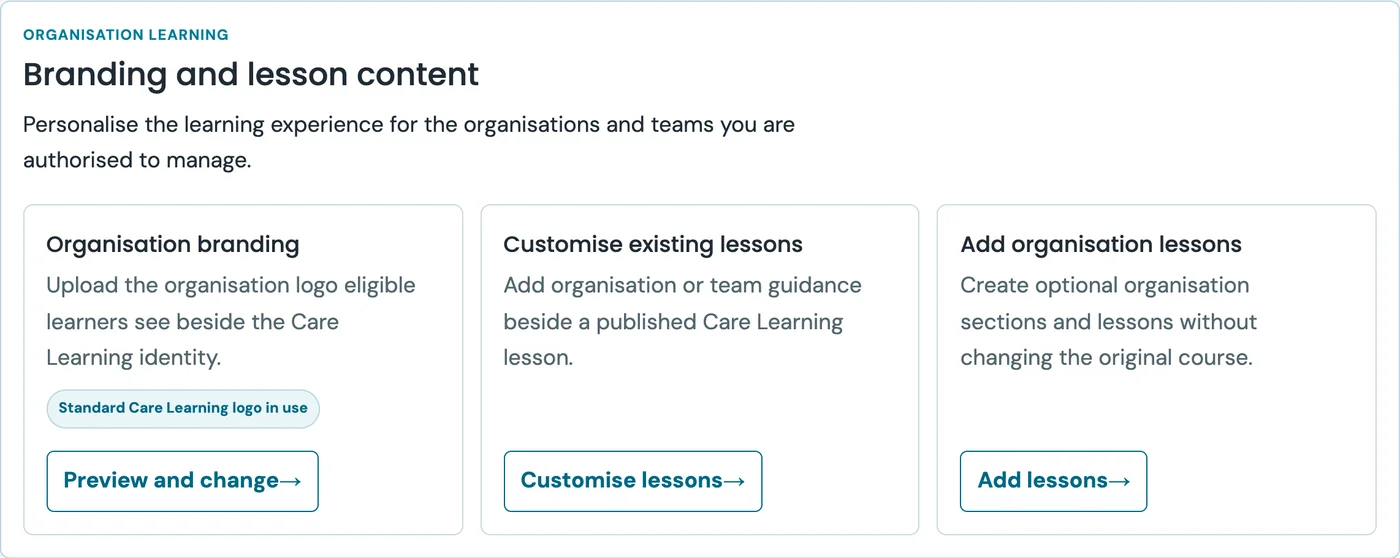
Right on your group leader dashboard
Everything starts from the group leader dashboard you already use to manage teams and courses. Open Customise, then upload your logo, add guidance to a lesson, or create your own lessons.
- Your logo beside ours in the course and lesson header
- Guidance for existing lessons
- Your own sections and lessons
What you can add to a lesson
Keep it as simple as a short note, or build a full page of local guidance.
Policies and procedures
Explain how your service does it, in your words, at the point your team is learning it.
Contacts and escalation routes
Highlight who to call, which number to use and what to do out of hours.
Checklists and reminders
Turn a lesson into practical next steps your team can tick off.
Tabs, slides and questions
Organise longer guidance so it is easy to scan and quick to read.
Links and images
Link to your own documents, and add up to three images with descriptions for every learner.
Your organisation’s logo
Learners in your organisation see your logo beside ours in the course and lesson header.
Up and running in four steps
Already a group leader? Start at step two. Not yet? See what group leaders get.
1
Become a group leader
Apply in a few minutes. Once approved, you can manage your teams and courses.
2
Choose a lesson
Pick the course and lesson, then choose one team or your whole organisation.
3
Add and preview
Write your guidance, add any extras, then preview it as a learner.
4
We review, then it goes live
Submit it. When it has been reviewed and published, your learners see it in the lesson.
Your courses stay exactly as they are
Bespoke learning adds to Care Learning courses. It never rewrites them.
- Course content is unchanged
- Learner progress is unchanged
- Certificates are unchanged
- Only your learners see your content
- Teams can have their own guidance
- Owner and review date on every item
- Preview before you submit
- Reviewed before it goes live
Talk to us about pricing
We are shaping how bespoke learning is offered, so we would like to hear what your organisation needs first. Tell us about your teams and the courses you want to personalise, and we will talk through the options.
- Tell us how many teams and learners you have
- We show you how it works on your own courses
- We agree the right option for your organisation
Frequently asked questions
Still have a question? Talk to us.
Make Care Learning yours
Apply to become a group leader and start adding your organisation’s own guidance to lessons.