Search
How do I add or remove courses to teams?
- When your group leader account is setup, we provide you with access to all our courses.
- This means you can create one or multiple teams and select only the courses you want for those teams.
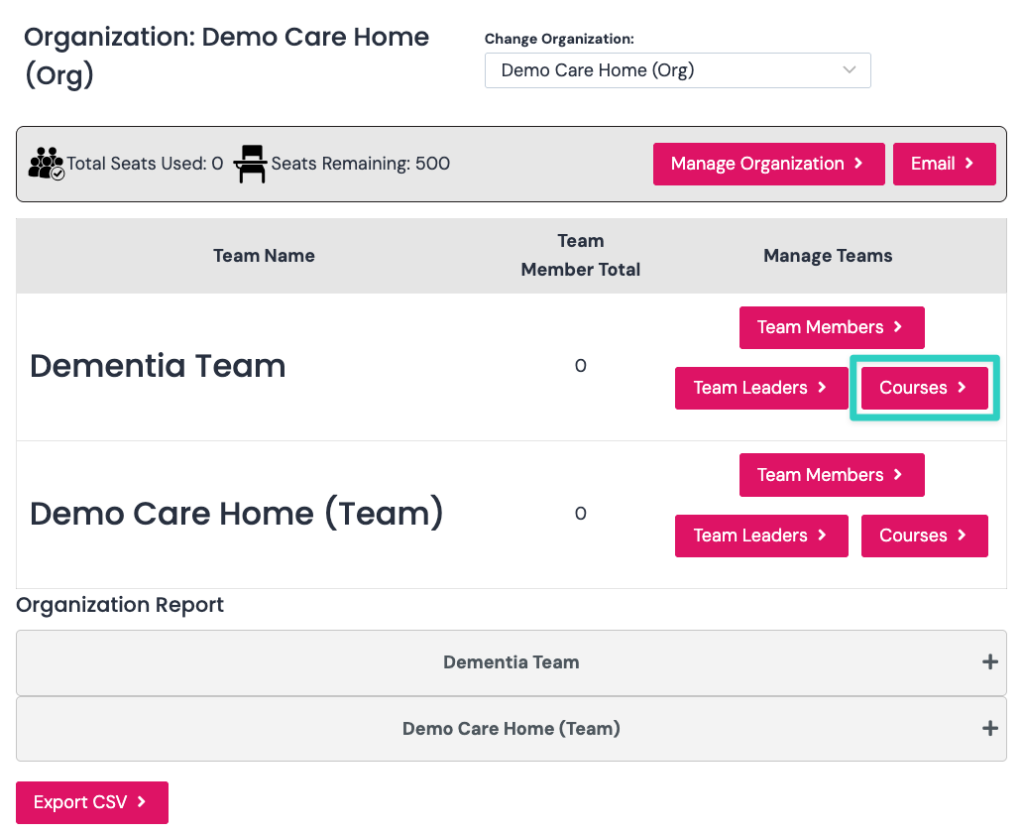
- Click courses next to the team you want to add courses. In the example below, we select the dementia team.
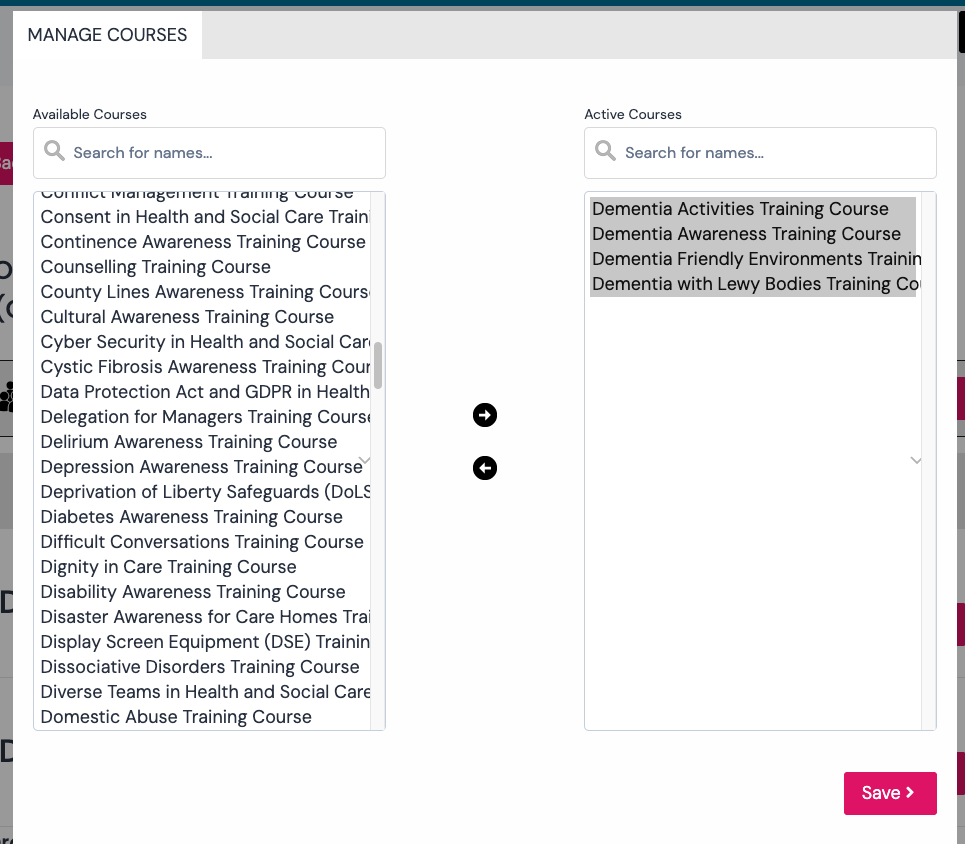
- You will now see the manage courses pop up.
- You can add/remove courses by selecting them and pressing the right or left arrows in the middle.
- The screenshot below shows that we have added 4 courses from the left side (available courses) to the right side (active courses).