
Search
How do I favourite lessons and make notes?
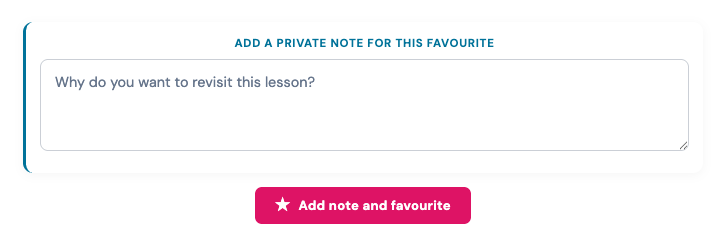
- You save a lesson to view later and also make notes.
- This can be done in each lesson at the bottom of the lesson when you are completing a course.
- Adding a note is optional.
- See screenshot below on how to add a lesson favourite and note.
Viewing your saved lessons and notes
- All your favourite lessons are stored at https://carelearning.org.uk/profile/favourite-lessons/
- All lessons are contained within a course container to help keep them organised.
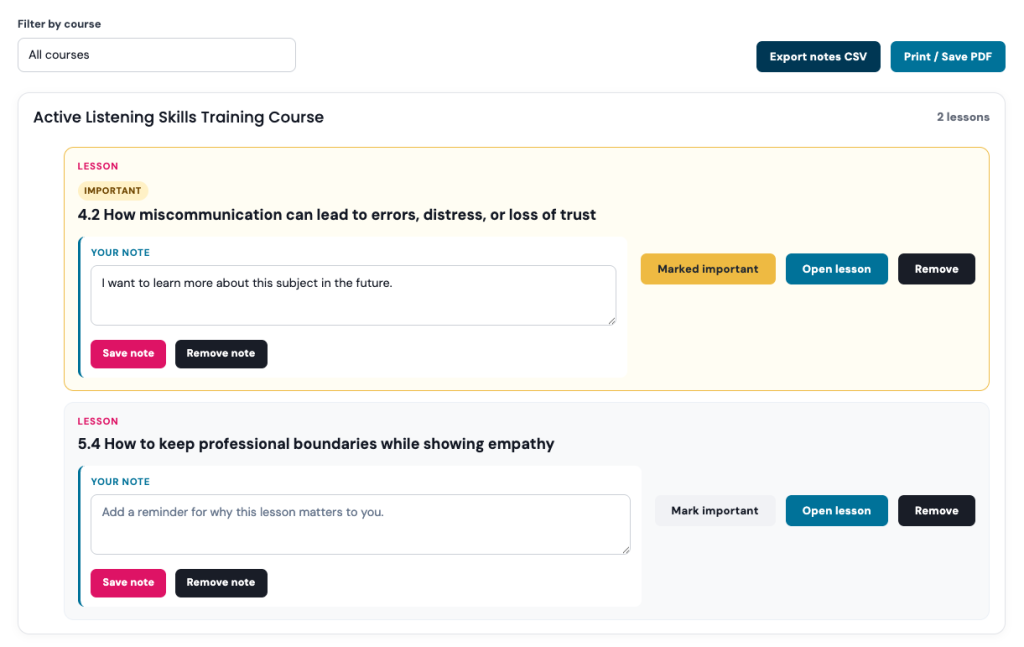
You have a range of options on the favourite lessons page including:
- Export your lessons to CSV or PDF locally or to print
- Edit the notes you made
- Remove the note
- Open lesson to view it again
- Mark important will highlight it yellow