
Search
How do I bulk import learners?
- You can bulk import import users by populating a spreadsheet and importing it into our platform and they will be linked to your team.
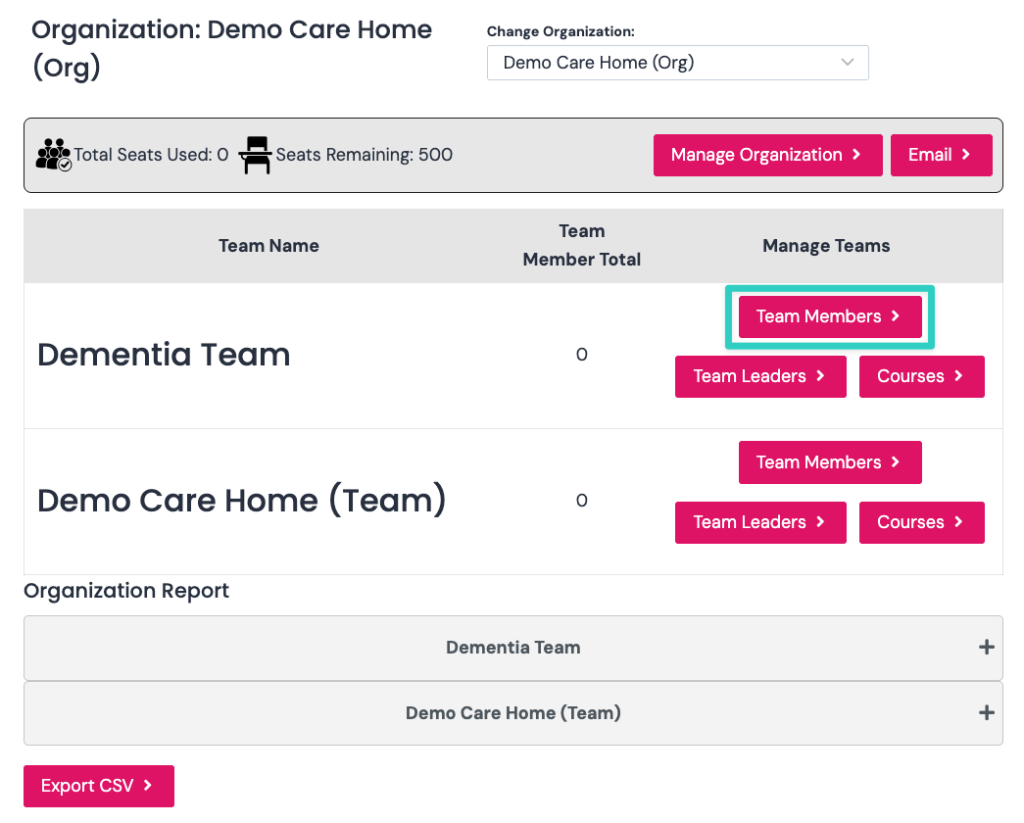
- Click Team Members next to the team where you want to add learners as seen in the screenshot below.
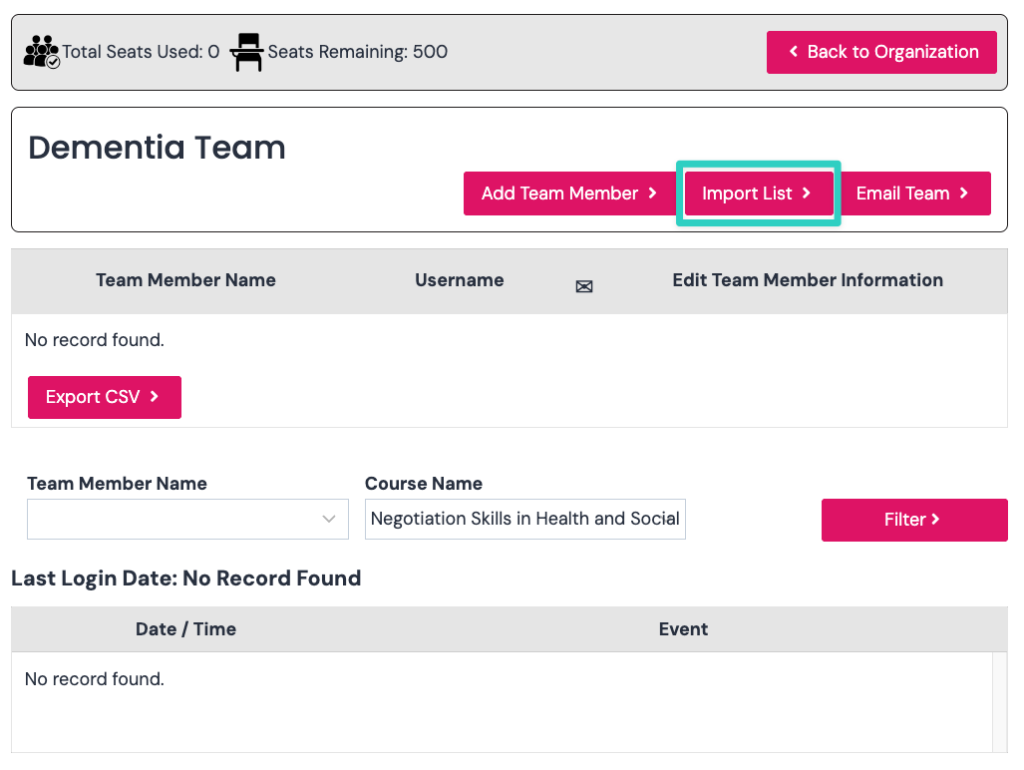
Click the import list button as seen in the screenshot below.
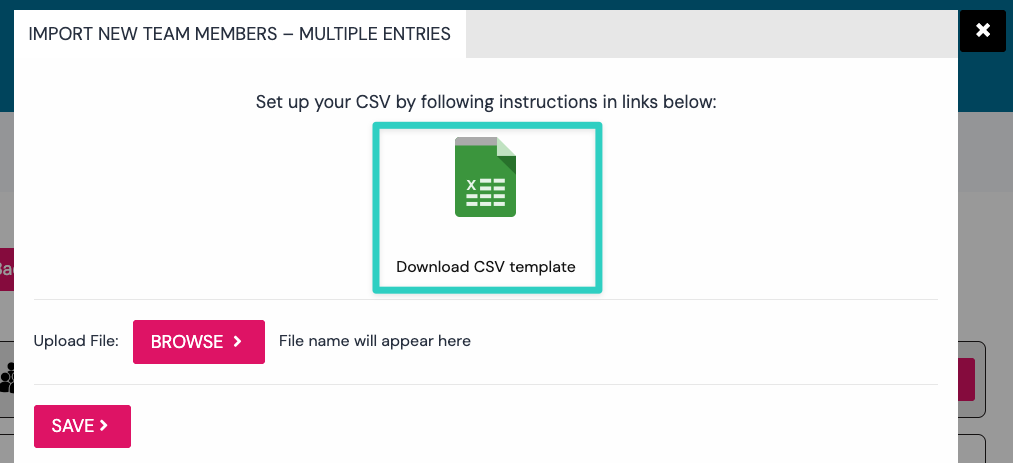
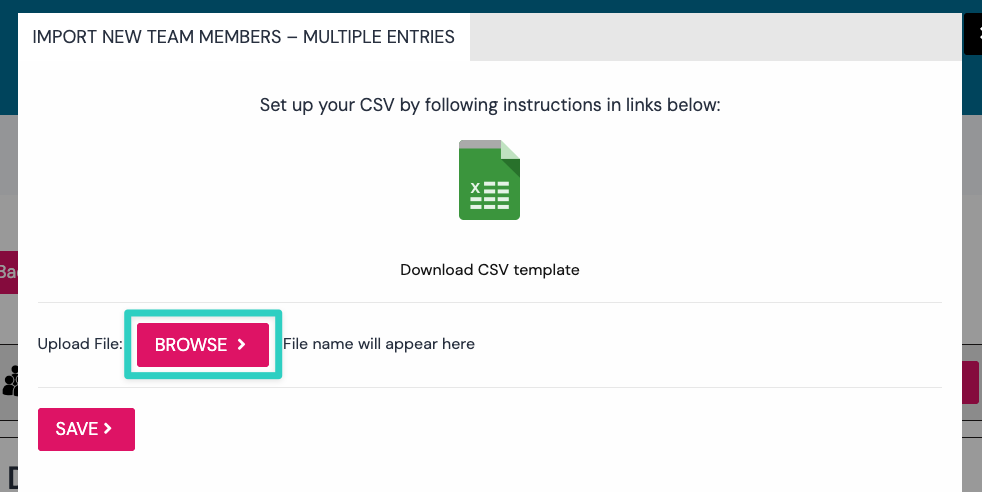
Click the download CSV template and open it in Excel to add all your learners.
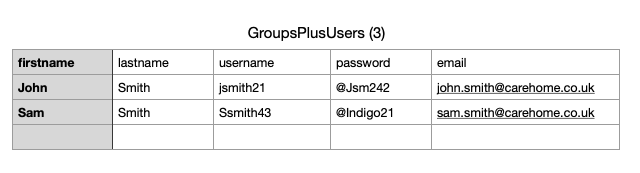
Once completed you should have a spreadsheet similar to the screenshot below. Make sure you have save a copy securely in a location you remember.
Now click the browse button to select your excel/csv file and it will now upload and import your new users to the team.
If you have any problems with bulk uploading or would prefer us to do it then still complete the csv template and send to us to import.