
Search
-
Learners
- How do I report a technical problem?
- How do I remove all my data and account?
- How do I favourite lessons and make notes?
- How do I view my certificates?
- How do I increase course and lesson limits?
- How do I request a new course?
- How do I change the name on my certificate?
- Does Care Learning offer a student I.D card?
-
Group Management
- How do I request group learner management?
- How do I access the group leader dashboard?
- How do I access group reports?
- How do I add or remove teams?
- How do I view or add a team leaders?
- How do I add or remove courses to teams?
- How do I bulk import learners?
- How do I add team members (learners)?
- How do I manage my organisation?
- How do I send a welcome email to team members?
- How do I assign workers or a team to courses?
-
Getting Started
-
Troubleshooting
< All Topics
Print
How do I view my certificates?
Posted
Updated
ByCare Learning Team
A copy of your certificates are sent though email when you complete a course.
You can also view them in the my certificates page as per screenshot below.
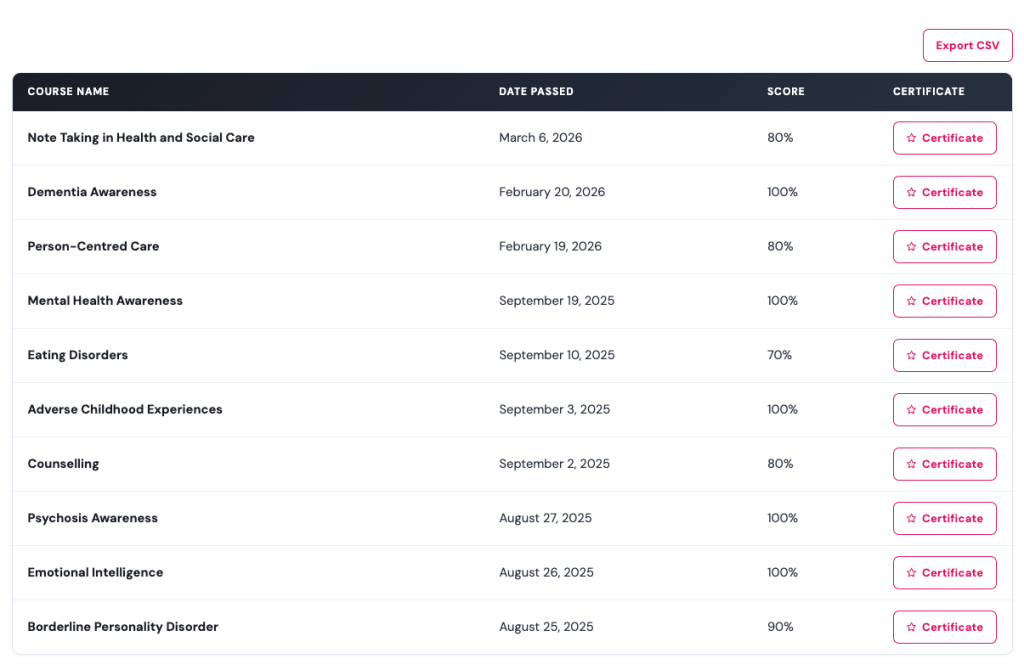
You can also export a CSV will contains a full list of all the certificates you have achieved with pass mark and date completed.
Table of Contents