Search
How do I add or remove teams?
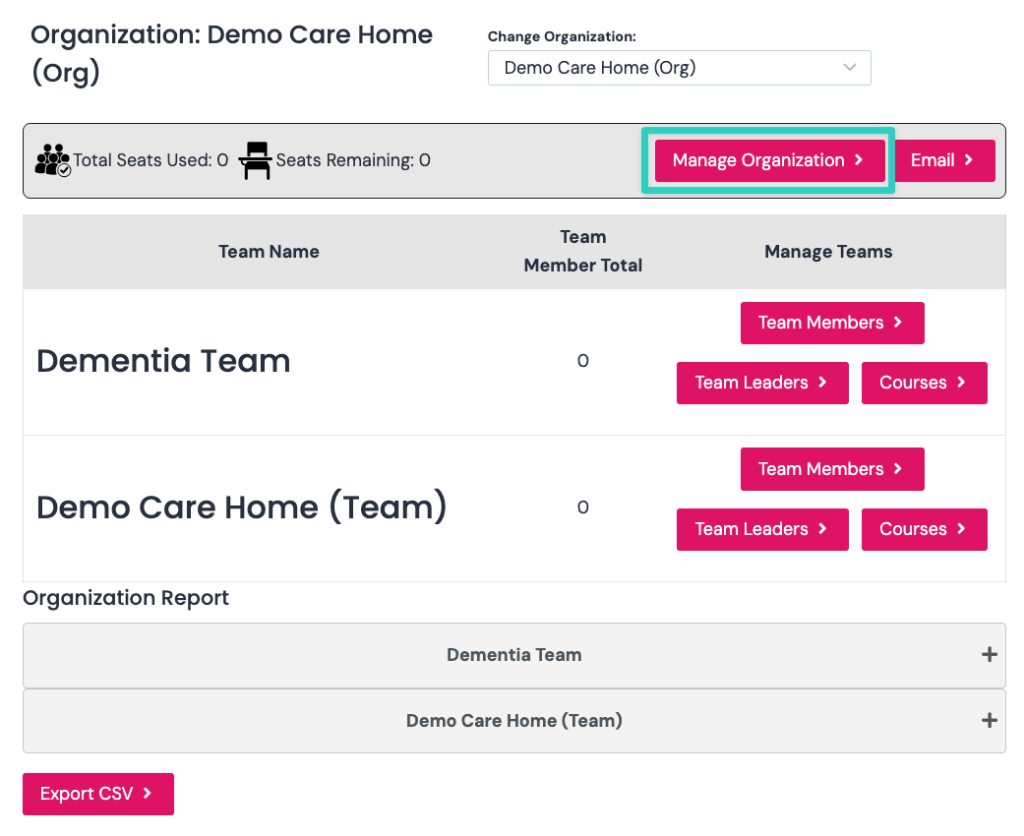
Add a new team by clicking “Manage Organisation” as seen in the screenshot below.
You only need to add additional teams if you want:
- Want managers to have reporting for specific learner group
- Assign specific courses to teams
Add a New Team
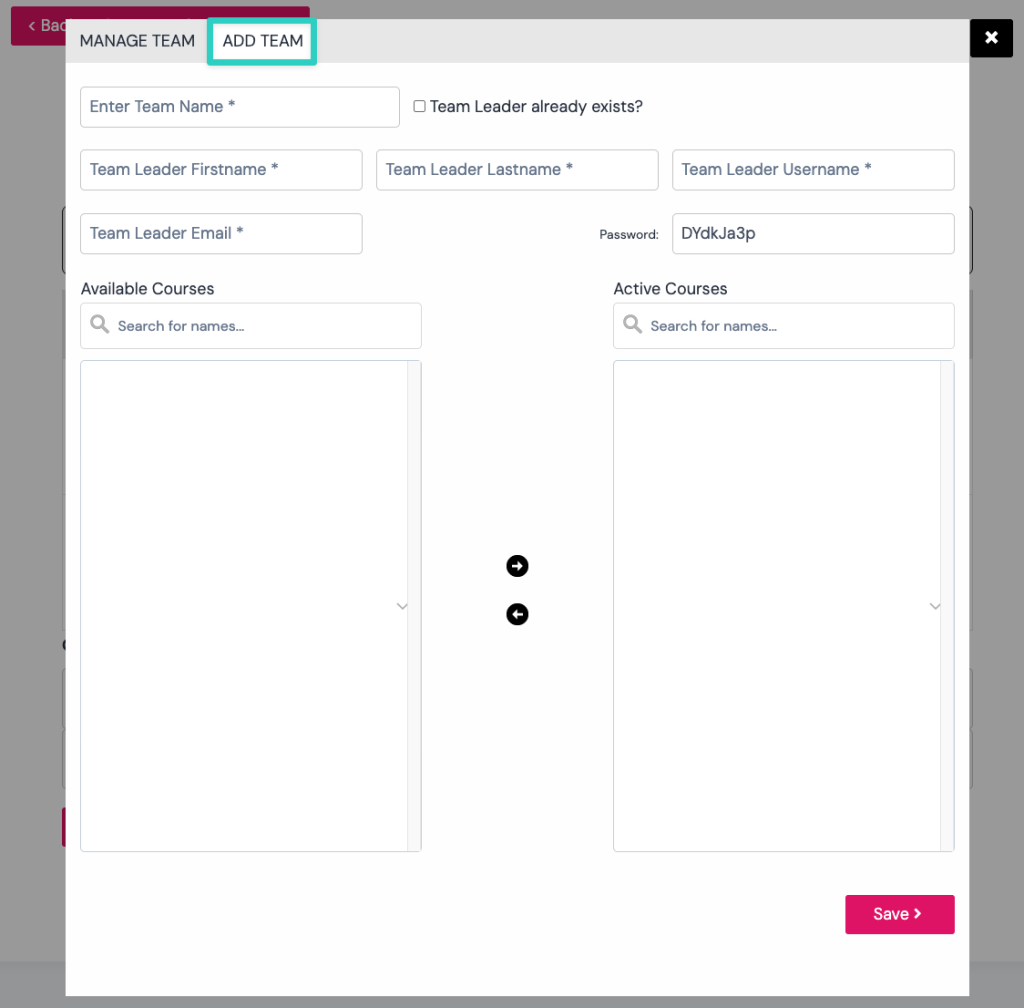
You can add a team by clicking the Add Team tab as shown in the screenshot below.
- Complete all the fields for the Team and the Team Leader.
- Select the courses you want the Team to access by clicking them on the left and the right arrow.
Delete a Team
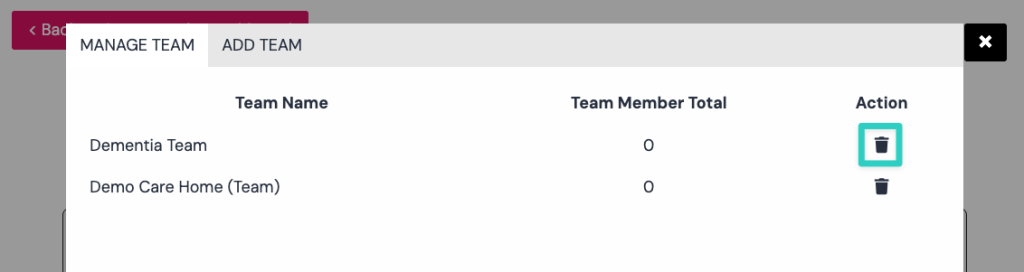
You can remove a team by clicking the trash icon next to the team as seen in the screenshot below.