
How do I send a welcome email to team members?
You can setup a welcome email when you add team members.
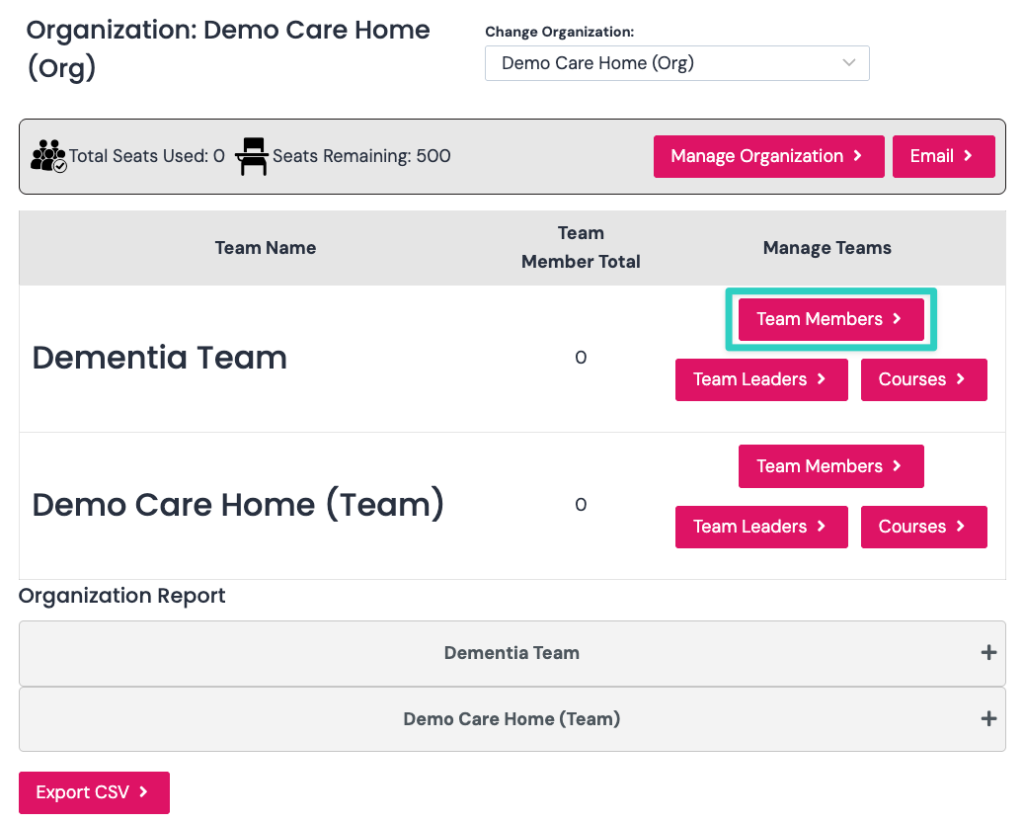
On your manage organisation page click the team members button as per screenshot below:
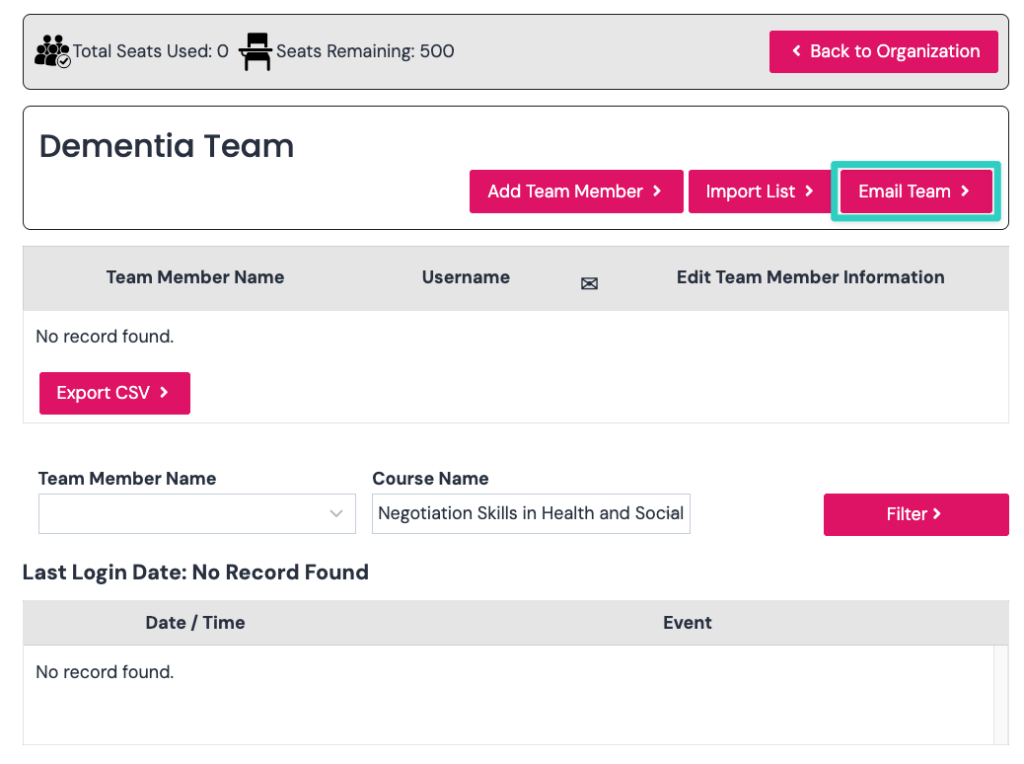
On the team page, now click email team button as per screenshot below:
Now click the team member welcome email tab as per screenshot below:

You will now see the welcome email as per screenshot below:
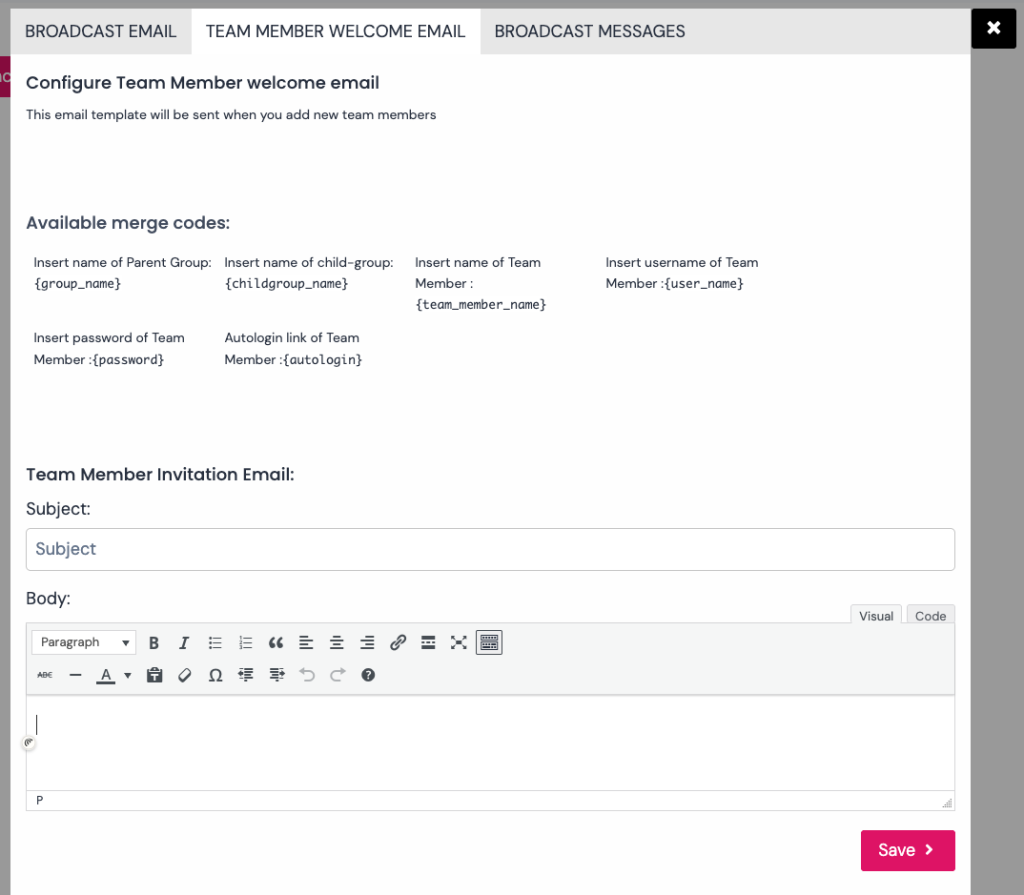
You will now need to include a subject and body for the email. We have provided a suggestion below which includes shortcodes that adds name their username and password:
SUBJECT:
Welcome to the xxx team on carelearning.org.uk
BODY:
Your account on carelearning.org.uk has been setup by XXX.
Here are your account details:
Group Name: {group_name}
Username: {user_name} or login with your email address
Password: {password}Please contact XXX if you have any questions.
Many thanks
XXX