
Search
How do I view or add a team leaders?
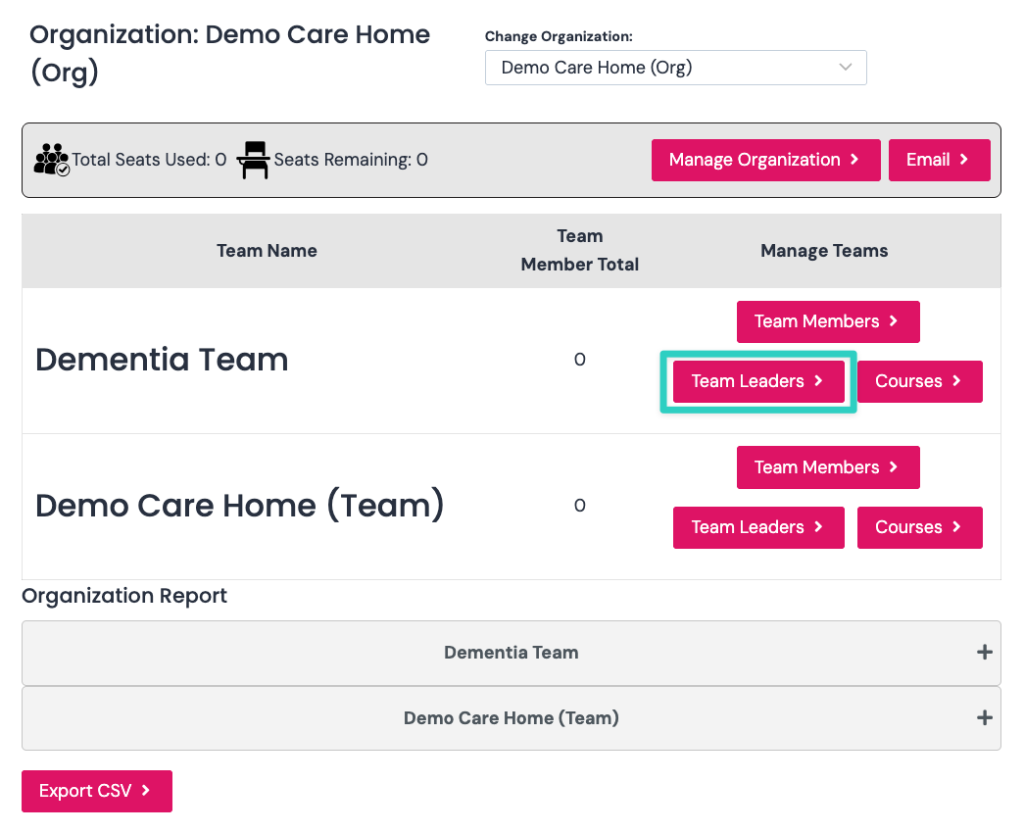
You can add a team leader by clicking the team leaders button as per screenshot below:
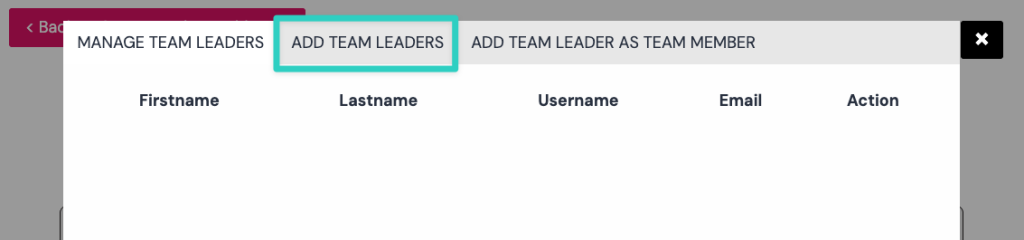
You can manage team leaders if you have added them previously or add a new team leader by clicking the add team leaders tab as per screenshot below:
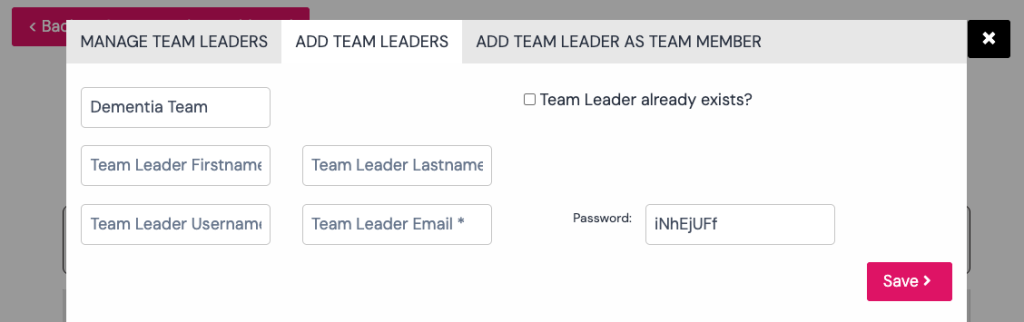
Please complete all the fields for the new team leader as per screenshot below:
You can also add existing team leaders as team member if the team leader needs to complete courses and be included in the reporting.