
Search
How do I assign workers or a team to courses?
You can assigned specific courses to a team so that workers will only see those assigned courses under a group assigned page. Workers can access the assigned courses page at https://carelearning.org.uk/profile/assigned/ or their learner dashboard has a assigned courses widget.
- The group leader will need to visit the group management page and click the courses button under their team (see screenshot below).

2. You can selected which courses should be part of the team (see screenshotbelow). Any courses in the right window (ACTIVE COURSES) will show in the workers assigned courses pages.
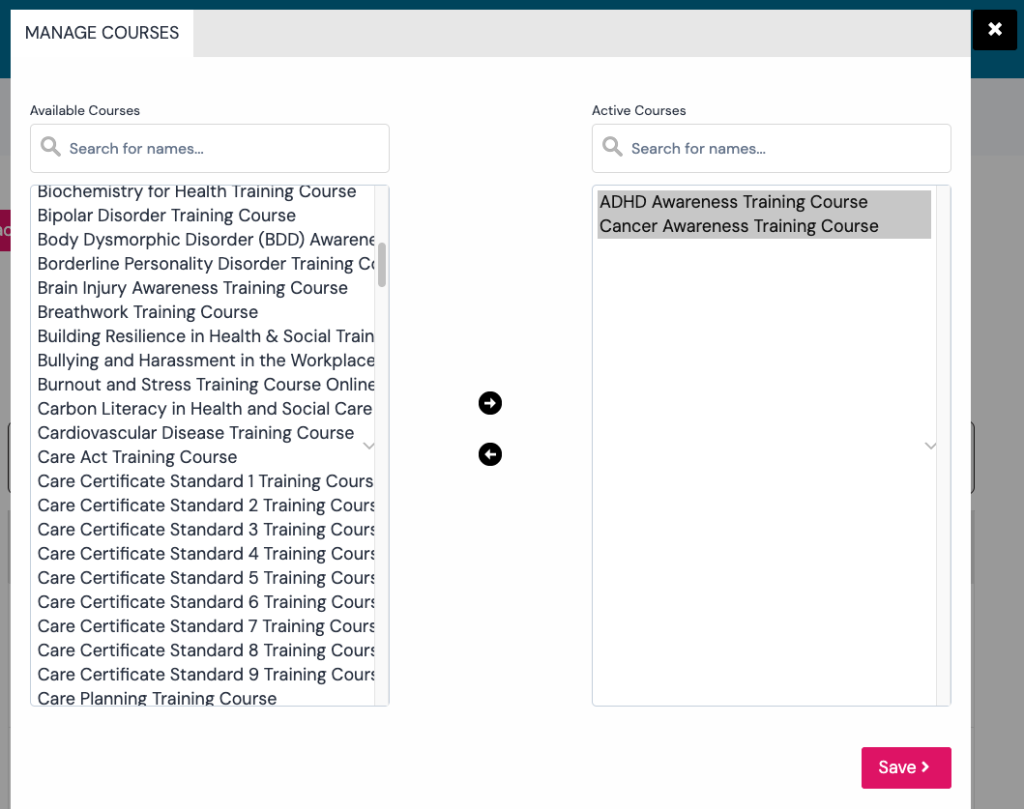
3. Optionally group leaders can create multiple teams and assigned each team different courses.
4. You will need to tell workers to visit https://carelearning.org.uk/profile/assigned/ or view their learner dashboard that has a assigned courses widget.